AI infrastructure
AI infrastructure: custom AI agents, built now, for small business
AI consulting, custom agent programming and on-site AI training for Southwest Washington businesses, from the local team that runs your phones, network, security and cameras.
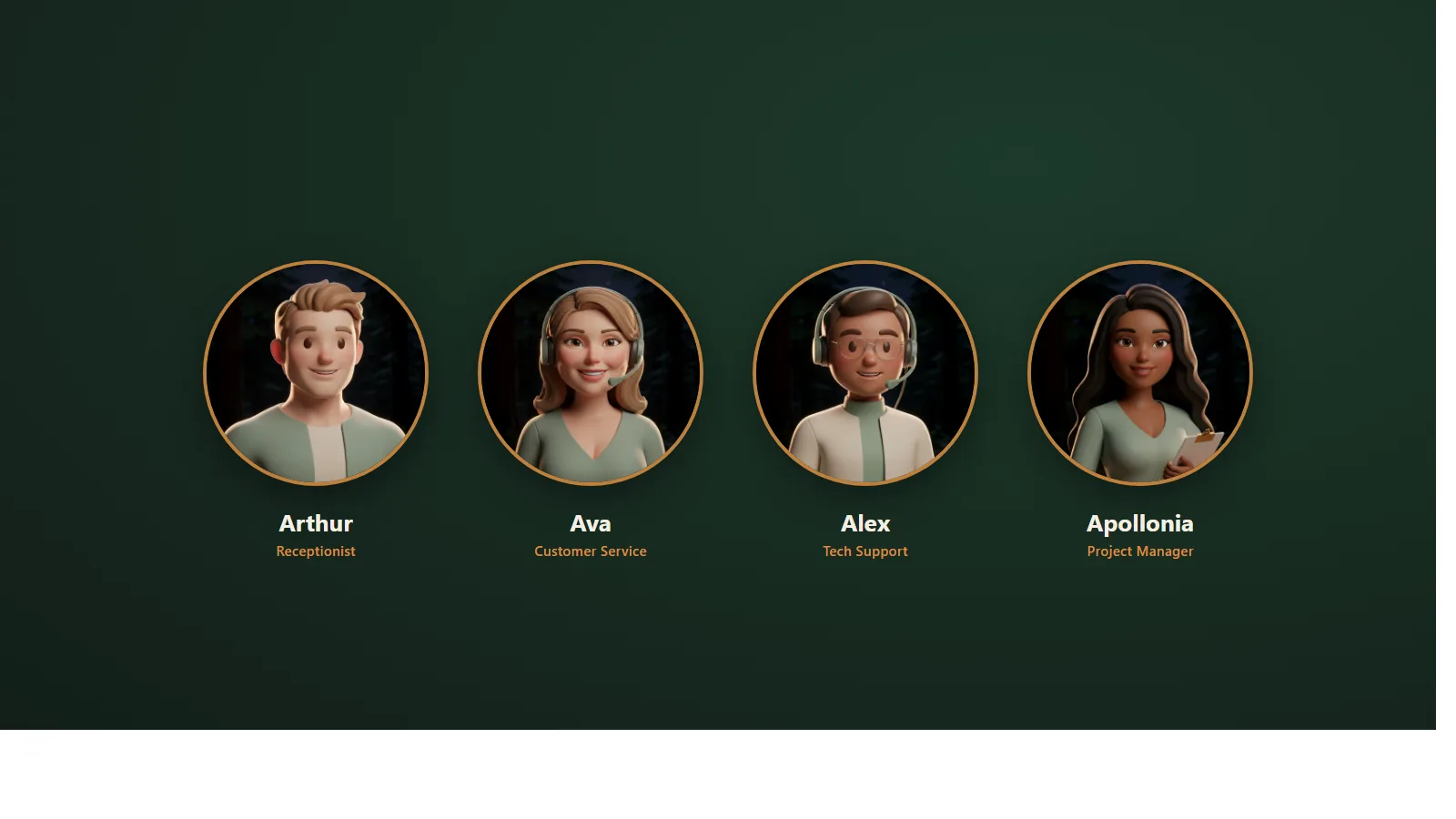
Six AI agents run our own company from The Igloo in Tenino. Arthur answers our phone. Alex drafts our support replies and a person approves them. Andrew listens to our customers' networks all night. We built every one of them ourselves, we use them every day, and you can watch them work from both sides: what your customer sees, and what happens behind the scenes in our own systems. We build the same agents for businesses like yours now, not someday: one job at a time, connected to the software you already run, with a person at the gate.
What we mean by AI infrastructure
AI infrastructure, the way we mean it, is not servers or GPUs. It is the layer of AI agents and tools that handles the routine work of a small business: built by us, installed on the phone system and network you already have, and watched by the same team that watches your network. Your phones, your network, your security and your cameras are four layers of infrastructure. AI is the fifth. There is nothing new to buy or host, and nothing here needs an IT department. It needs an owner or an office manager with one repetitive job in mind.
Built now
Custom AI agents, built now for small business
Most companies that talk about custom AI agents show a video or a slide. We give you a phone number. Call (360) 515-2500 and Arthur, our AI receptionist, picks up as an extension on our own Cisco phone system, the same way he is installed inside the phone systems we manage for customers. Behind him, five more agents do real jobs for us every day: tickets, project schedules, customer questions, network monitoring and bookkeeping.
That is the point of this page. The agents you can buy are the agents we already run, and we will show you both sides of them, the customer's and ours, live. We build the same kind for a business with five people or fifty. You do not need a developer on staff, a data team or an enterprise budget. You need one job that eats your team's week, and we start there.
What we do
Three ways to put AI to work in your business
AI consulting
A walk-through of your office, a ranked list of the jobs AI can take off your team, and a written plan with one first project and a review date. You keep the plan whether or not we build it.
Custom AI agents, built for you
An agent that reads, drafts and acts inside the software you already run, for one job at a time: answering and routing calls, following up quotes, triaging tickets, preparing invoices, sending the daily summary. Built here, connected to your systems, including a custom connection through your software's API when no ready-made connector exists, and watched from The Igloo.
On-site AI training for your staff
A half day in your office, on your real work. We set up a desktop AI on each person's own computer with a project folder and an instruction file, teach the team on the tasks they repeat every week, and write the data rules down. Then we come back and check that it stuck.
Meet the team
Meet the agents that run our company
We did not read about this in a report. These six work for us every day, and the ones you can call are labeled.

Arthur, receptionist
Answers every call 24/7 as an extension on our phone system, transfers, takes messages and texts or emails a summary.

Alex, tech support
Reads each support ticket, checks our CRM, drafts the reply, and waits for a person to approve it in Slack before anything reaches a customer. Then books the appointment.
In service at Wallaby

Apollonia, project manager
Shepherds every new phone system from the sale to the install to the first-year follow-up: site surveys, shipping, scheduling and reminders.
In service at Wallaby

Ava, customer service
First-line answers for customers, in our own words, with a hand-off to a person when it matters.
In service at Wallaby
Andrew, network administrator
Listens to our customers' phones, networks, firewalls and cameras around the clock, explains what he finds in plain English, and pages a person when something needs a decision.
In service on customer networks
Athena, bookkeeping
Prepares our own bookkeeping for a person to review.
In service at Wallaby
Every one of them was built in-house, by us, and every one of them stops for a person on anything that matters. That is the model we build for you.
Live demos
See it from both sides
Every agent on this page is one we use in our own business, so a demo is not a sandbox. You see what your customer would see, and you see what happens behind the scenes in our own systems while it happens: the message landing in Slack, the CRM lookup, the person approving, the appointment hitting the calendar.
Call now
Dial (360) 515-2500. Arthur answers as an extension on our phone system, greets you, answers questions about what we do, and transfers you to a person when you ask. That is your customer's side of the call.
Book a live demo
In twenty minutes on a screen share, or at your office, we run a real request through an agent and show you the inside: the ticket arriving, Alex checking our CRM, the draft reply and the summary landing in our Slack, a person approving it with one edit, the appointment landing on the calendar, the ticket closing. You watch the approval happen. Then we walk through the agent you have in mind.
Behind the scenes, on this page
Screenshots from our own systems, with customer details removed. Left is what the customer sees. Right is what happens inside.
Arthur, receptionist
Customer sees
A missed-nothing call.
The caller gets Arthur in one ring, asks for a person who is out, and leaves a message.
Behind the scenes
The message, already typed.
Thirty seconds later the summary arrives by text and email: who called, what they wanted, the number to call back.
Alex, tech support
Customer sees
A reply, and a time that works.
The customer gets a clear reply in our words and two appointment choices in their own time zone.
Behind the scenes
The approval, in Slack.
Before that reply went out, Alex posted this: the ticket, what the customer wants, the CRM details, the draft, what was missing, and its reasoning. A person approved it with one edit.
Apollonia, project manager
Customer sees
The install, on schedule.
The customer gets the site-survey date, the shipping notice and the install-day confirmation without chasing anyone.
Behind the scenes
The checklist that moves on its own.
Apollonia tracks each new phone system from the sale to the install to the first-year follow-up and nudges the person whose step is next.
Andrew, network administrator
Customer sees
A finding in plain English.
The customer reads one paragraph that says what Andrew found, why it matters and what to do, not a wall of log lines.
Behind the scenes
The page at 3am.
Andrew heard a device stop responding, confirmed it, alerted The Igloo, and a person was paged. The customer learned about it from us, not from a complaint.
Ava, customer service
Customer sees
An answer in our words.
A common question gets a direct answer, instantly, in the company's own voice.
Behind the scenes
The hand-off note.
When the question needs a person, Ava hands it over with everything gathered so far, so nobody asks the customer to repeat themselves.
Athena, bookkeeping
Behind the scenes
Prepared, not posted.
Athena prepares our bookkeeping entries; a person reviews and posts them. Nothing touches the books on its own.
The gate you see in every pair is the same one we build into your agents.
Plain English
What is an AI agent?
An AI agent is an AI with permission to do things, not just say things. A chat window hands you an answer and stops. An agent takes the next step itself: it reads the request, checks your systems, drafts the reply or the entry, and either acts or brings it to a person first. That is exactly why it needs rules about what it may do alone and what it has to bring to someone. Most first projects are the middle rung of a short ladder: an assistant that answers questions; a workflow that prepares the work and a person approves it; an agent that acts, with approval gates on anything that matters. Alex started on the middle rung and earned more room over time. Yours will too.
Where to start
Jobs we build agents for
Answering and routing calls
An agent inside your phone system that greets every caller, answers the common questions, books the appointment and transfers the rest. Stops for you before it promises anything it cannot keep.
Quote and lead follow-up
Reads the new inquiry, pulls the account history, drafts the quote follow-up on day three and day ten, and logs it in your CRM. Stops for you before any price or commitment goes out.
Support triage and ticket drafts
Reads the ticket, checks who the customer is, drafts the reply, gathers what is missing, and books the appointment. Stops for you before the reply is sent.
Documents, invoices and bookkeeping entries
Turns the paperwork that arrives by email and scan into drafts, entries and reminders your bookkeeper reviews. Stops for you before anything is posted or paid.
Daily summaries and alerts
Reads yesterday's calls, tickets, orders or camera events and sends the summary you actually read. Stops for you before it changes anything.
An internal knowledge assistant
Answers your staff's questions from your own procedures, price lists and past tickets, in your words. Stops for you before it answers a customer.
One ticket, start to finish
How one request runs through an agent
This is a real, sanitized run from Alex, our support agent, on an ordinary ticket. Yours would look the same.
- A support email arrives and becomes a ticket.
- Alex reads it and checks our CRM: who the customer is, what system they run, whether we are already connected to their network.
- Alex classifies it: a simple change we can make remotely, or one that needs an appointment.
- Alex drafts the reply in our words.
- Alex posts a summary in Slack: the ticket, what the customer wants, the CRM details, the draft, what is still missing, and its reasoning.
- A person reads it and approves, approves with a note, or says "I've got this."
- The approved reply goes out.
- Alex asks the customer at most a few rounds of questions, then moves to booking.
- Alex offers two appointment slots from our calendar, in the customer's time zone.
- The customer picks one; it lands on the calendar with the ticket notes attached.
- Alex hands the engineer a summary with the details already in the format the work needs.
- The ticket is updated and closed. Every pause and approval is in the record.
The gate
What an agent never does on its own
Four verbs: send, pay, delete, or do anything that cannot be undone. Add anything a customer will read and any price or commitment. The agent prepares the action, shows a person what it understood, what it proposes and what would change, and waits. Nothing goes out until a person says so. When an agent is unsure, it stops and asks instead of guessing, and every stop is logged with the reason.
Connections
It works through the systems you already have
Most of these we installed or manage for you, so the connection is not a negotiation. Where your software has no ready-made connector, we write the connection to its API ourselves.
| System | Reads | Writes |
|---|---|---|
| Your phone system | Calls, voicemail, call records | Transfers, messages, call summaries |
| Your CRM (HubSpot or another) | Contacts, history, stage | Notes, tasks, stage changes, for approval |
| The request, the thread | Drafts, for approval | |
| Calendar | Availability | Appointments, for approval |
| QuickBooks or your accounting software | Customers, open items | Draft entries and invoices, for approval |
| Your ticket queue | New and open tickets | Drafts, status, hand-off notes |
| Your network and cameras | Alerts and events from the devices we manage | A page to a person; never a change |
| Anything else with an API | What you decide it may see | What you decide it may do |
Some systems have no way in. We tell you which ones before we quote, and we do not pretend otherwise.
On-site AI training
On-site AI training, on your real work, in your office
We walk into three kinds of offices. The one that has never touched AI. The one that tried it once, got a confident wrong answer, and gave up. And the one where a single person is good at it and everyone else waits for them. The half day is built for all three, because it runs on your work, not on sample prompts.
Before the day
A five-minute survey for the team and a twenty-minute call with the owner or office manager to pick three to five tasks people repeat every week. Then we do the part no trainer can: we set up the business accounts, put a desktop AI on each person's own computer, create a project folder and an instruction file for each person, and load your company voice and service descriptions, so the first session starts on the work.
What the half day looks like
Plain-language basics first: what this kind of AI is good at, where it goes wrong, and what never goes into it. Then hands-on at each person's own desk, on the tasks we picked together, with us in the room reading the output. We build one shared instruction file and template as a group, so the whole office gets the same result regardless of who asked. We finish with the data rules, written down.
Real tasks we train on
Invoicing and quotes. The monthly report. Last month's call data from your phone system: who called twice, the busiest hour, the voicemail backlog (we can pull the records, because we run the phones). Planning a migration or a cleanup. Email in the company's voice. Meeting notes into action items. Procedures nobody ever wrote down.
Will it take my job?
No. It takes the repetitive half of the job first, and the person who knows the customer keeps the decision. Our owner's line to nervous teams is that it is "a computer program that speaks very, very good English, and it wants to please us," which is also why it is sometimes wrong and why you check its work. Train your best office administrators first, the people who are strong with spreadsheets, and the rest of the office follows them.
What you leave with
A desktop AI set up on each person's computer. A project folder and an instruction file per person. A shared template in your company's voice. The data rules on one page: what it may see, what stays out, which plan your business is on and why. And a thirty-day check-in on our next site visit, from the same person who answers your network ticket. When someone new starts, we set them up too.
AI consulting
Where do we start? Bring us one task.
Most small businesses do not need an AI strategy deck. They need one job that eats the team's week, and a plan for it. Bring that job to the free assessment: when we walk your building for the phones, network and cameras, we walk the office for the work too. We talk to the people who do the task, not only the owner, and we log where the hours go.
How an engagement runs
- Week one: the walk-through, on site, during your free assessment. We leave with the list of jobs and who does them.
- Week two: the ranked list and a written plan. Each job scored by hours returned, how often it goes wrong today, what it would need to connect to, and what it would cost to run. One first project, a success measure and a review date. The plan is yours whether or not we build it.
- Weeks three onward: the first build. A custom agent for one job, or the training half day, or both. Proof on your real examples before anything goes live, then a period beside your current process, then live use with a person approving.
- Training at your desks, alongside the build, not after it.
- Care inside your Wallaby agreement: we watch the agent the way we watch the network, review what it did and where it paused each month, and tune it.
What is included, and what is not
Included
- the on-site walk-through
- the ranked list and written plan
- custom agents built by us for your jobs
- connections to your systems, including custom API work
- on-site training
- the permission and data-path review
- monitoring and care inside your month-to-month agreement.
Not included unless we scope it separately
- day-to-day PC and desktop support (available as an add-on)
- Microsoft 365 or Google Workspace administration
- cabling
- an ongoing help desk
- software development beyond AI agents
- reselling AI subscriptions: you hold your own accounts, and the AI vendor bills you directly.
Your data
Where your data goes, and who owns what
Before anything is switched on, the people who run your network decide what the AI may reach. An agent runs behind the firewall we manage, with access scoped to its one job, so an agent that reads your inbox cannot touch your books. It can run on a small computer on your own network, the way Andrew does, or in the cloud under your own accounts; either way it reports to The Igloo and pages a person when it should.
Your accounts are yours. Your business holds its own AI subscription or API access, in its own name, and the vendor bills you directly. On the business plans we recommend, the AI vendor does not use your content to train its models by default, and your business stays the data controller. Desktop AI only reaches the folders you connect, asks before it acts, and always asks before it deletes anything. Files it works on are processed on the vendor's servers, which is why the data rules say which folders it may see and which stay out.
What we build is documented and yours: the instructions, the configuration and the connections stay with you if we ever part ways. This is not a cybersecurity product. It is network and infrastructure security applied to one more layer.
Care
Managed like your network
An agent is a device on your network as far as we are concerned. It is monitored from The Igloo, it shows up in the same monthly review as your phones and switches, and when it stops working it is a ticket to the same people who fix the network. We tune it as your business changes, and we train the people who approve its work.
Pricing
How it is priced
We quote every project in writing before any work starts, with a fixed scope. What moves the quote: the number of jobs, how many systems the agent connects to, how much of the work needs reading and judgment versus fixed rules, how much waits for approval, the volume, the headcount for training, and whether we already run your network. Your AI subscriptions are billed to you by the vendor and are not marked up. The quote is lower than you expect for one reason: the agents we sell are the agents that keep our own overhead low. Send us your current IT bill and we will show you the number.
Page reviewed
Questions, answered
What business owners ask us about custom AI agents
Can you really build a custom AI agent for a business our size right now?
Yes. We build them now, and the proof answers our phone. Six agents run our own company, built in-house, and the same kind of agent is what we build for a business with five people or fifty in Southwest Washington. A first agent handles one job, such as answering calls or triaging tickets, and is usually live within a few weeks. Arthur, the receptionist, is live in about a week.
What is the difference between an AI agent and ChatGPT?
A chat window gives you an answer and stops. An agent has permission to take the next step: it reads the request, checks your systems, drafts the reply or the entry, and either acts or brings it to a person first. Because it can act, it needs rules about what it may do alone. We write those rules with you before it is switched on, and they are the first thing we test.
Will it replace our employees?
No. It takes the repetitive half of a job first and hands the decisions back to the person who knows the customer. In our own company, Alex drafts support replies and a person approves every one before it goes out; the engineer still does the work. Your staff keep the conversations and the calls that need them, and the agent covers the ones nobody could get to.
What should an agent never do on its own?
Send, pay, delete, or do anything that cannot be undone. Add anything a customer will read and any price or commitment. The agent prepares the action, shows a person what it understood and what it proposes, and waits. When it is unsure, it stops and asks instead of guessing. Every stop and every approval is logged, so you can see what it did and why.
Can it connect to our phones, CRM, email, calendar and QuickBooks?
Yes, and most of those we installed or manage for you, so the connection is not a negotiation. The agent reads from each system and writes back only what you allow, with approval on anything that matters. Where your software has no ready-made connector, we write the connection to its API ourselves. Some systems have no way in at all; we tell you which before we quote.
Where does our data go, and is it used to train AI?
The people who run your network decide what the AI may reach before anything is switched on, and access is scoped to one job. Your business holds its own AI account in its own name. On the business plans we recommend, the vendor does not use your content to train its models by default and your business stays the data controller. Files the AI works on are processed on the vendor's servers, so the data rules name which folders it may see.
Who owns the agent if we leave?
You do. The instructions, the configuration and the connections are documented and stay with you, and your AI accounts were always in your name. There is no long-term contract and nothing is locked to us. If you leave, the agent keeps running on your accounts; you would only lose the people watching it, and that is the part you can replace.
Which AI should we use: Copilot, ChatGPT or Claude?
Start with the task, not the brand. For the desktop AI your staff use every day, we train on the one we use ourselves, Claude, because it works inside the folders you choose and asks before it acts. If your team lives in Microsoft 365 and already has Copilot, we run the same session there. For custom agents, we build with the tools we built our own on, under your accounts, and we will tell you when AI is not the right answer for a job.
Do we need technical staff on our side?
No. The person we need is the owner or the office manager who knows where the hours go, plus the people who do the task. We handle the accounts, the setup on each computer, the connections and the permissions, and we train at your desks. If you have an IT person, they are welcome; one of the first businesses we worked with had a single IT person, and he ran the project himself after one session.
What is not included?
Day-to-day PC and desktop support, which is available as an add-on. Microsoft 365 or Google Workspace administration, cabling, an ongoing help desk, and software development beyond AI agents, unless we scope them separately. We also do not resell AI subscriptions: your business holds its own accounts and the vendor bills you directly, so there is nothing marked up and nothing to unwind if you change tools.
Bring us one repetitive job
If you can answer five lines about a job your team does every week, it is a candidate: what starts it, what your team checks, which tools they open, what they decide, and what finished looks like. Bring those five lines to the free assessment, or call and ask for Arthur. He will take the message.
Part of the all-in-one stack
One local team for your whole infrastructure
Insights
Keep reading
Call records into answers: one AI productivity training session, start to finish
How one AI productivity training session turned a phone system's call records into a standard report, and what it taught us about training people on AI.
A family grocer built to last: how one store is modernizing its IT with AI
An AI consultant for small business gave a family grocer's IT manager one hour, and he planned a major migration himself. What it means in SW Washington.
AI for small business: how one IT person planned a Microsoft 365 migration himself
One IT person used desktop AI to plan a Google Workspace to Microsoft 365 migration in a morning. What AI for small business means in SW Washington.
Ten months in: what I've actually learned about AI automation for business
Ten months of running AI agents in our own company. What AI automation for business looks like for a SW Washington small business, and where to start.
Why your AI receptionist should live inside your phone system, not beside it
Most AI receptionists sit beside your phone system and can't transfer or park a call. Why Wallaby installs Arthur inside the PBX for SW Washington offices.